
Reference

Live Blackjack Royal With Clear Table Choices

Live Blackjack Royal at tototix puts a live dealer, visible card decisions and familiar blackjack choices in one table view.

Live dealer streamHit and stand choicesMobile table layoutPhone verification
tototix Live Blackjack Royal With Clear Table Choices
tototix What Live Blackjack Royal Brings

What Live Blackjack Royal Brings

Live Blackjack Royal is a dealer-table blackjack title where you make decisions against the dealer rather than against other seats. Our lobby shows the table entry after your account phone verification is complete, so you can check the available seat view before joining. The round follows familiar blackjack logic: aim to finish closer to 21 than the dealer without going over. Card

values, dealer actions and your selected decision remain visible during the streamed round.

ROYAL DETAILS

Three Details You See At The Table

The table is designed around decisions you can verify as each round moves forward.

Updated today
tototix Live Card Handling
DEALER VIEW

Live Card Handling

The dealer stream shows the dealing sequence as the round happens. We keep the card area close to the controls, allowing you to compare your total with the dealer up-card before selecting hit, stand, double or split when those options appear.

tototix Visible Action Buttons
PLAYER CHOICE

Visible Action Buttons

Each available decision is presented in the table interface rather than hidden in a separate menu. Your selected action is reflected in the hand area, helping you confirm the instruction before the dealer continues the Live Blackjack Royal round.

tototix Round-by-Round Results
TABLE FLOW

Round-by-Round Results

A completed hand returns to the table flow for the next dealing cycle. This makes it easier to follow dealer outcomes, your final total and the next entry point, especially when you are using a phone screen between other lobby sections.

GAMEPLAY FLOW

Your Live Blackjack Royal Table Choices

Start with the displayed table entry, then set your stake before the dealer begins the dealing cycle.

Table Entry Enter from the live lobby after logging in to your…
Card Decisions Your available choices depend on the cards dealt in your…
Dealer Sequence The dealer completes the visible house hand after your decision…
Phone Layout On a phone, the dealer video remains above the hand…
TABLE CLARITY

Live Blackjack Royal At A Glance

Before entering a hand, you can use the live lobby view to identify what kind of table you are opening.

01

Game Type

Live dealer blackjack with card decisions made against the dealer hand.

02

Round Pace

Dealer-led rounds with a decision stage before the house hand is completed.

03

Supported Devices

Mobile browser and desktop browser access through the same logged-in lobby path.

04

Access Region

Availability for Indonesia depends on local law and your completed account access.

PHONE TABLE VIEW

Keep Royal Cards Clear On Mobile

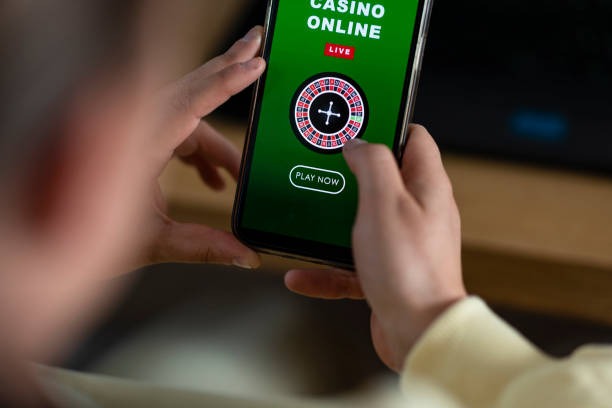
Phone access keeps Live Blackjack Royal focused on the cards and dealer rather than crowded lobby navigation.

tototix mobile gaming
Dealer stream above controls
Card total stays visible
Live category from login
Desktop and phone account
TABLE HELP PATH

Get Help During A Table Session

If Live Blackjack Royal does not load as expected, begin with your account status and the live-lobby entry path.

Table Access If the Live Blackjack Royal tile does not open, check that you are logged in through the same account used for phone verification. Our account-help path can confirm whether the live category is available to your current session.
Round Status For a question about a displayed hand, contact support with the table name and approximate time shown during your session. This gives us a clearer starting point than a general description of the dealer stream or card result.
Device Check When video or controls stall, reopen the live lobby from your browser and return to the table. If the issue continues, send the device type and browser details through the support channel for a focused access check.
FAIR TABLE SIGNALS

See How Each Royal Round Works

Live Blackjack Royal gives you observable table signals instead of asking you to rely on a hidden result screen.

Dealer Stream

The live dealer view lets you observe card handling during the round. You can compare the visible cards with the displayed total before choosing an available action, rather than receiving only a result after the dealing sequence has ended.

Rule Visibility

Table choices are presented in context with the hand. This makes it easier to see when hit, stand, double or split is available and keeps the decision process connected to the cards currently displayed on Live Blackjack Royal.

Account Check

Phone verification is completed before account access to the live lobby. That step gives the table session a clear account link and provides a practical starting point if you need help with access or an on-screen status question.

Hand Display

Your cards and the dealer up-card remain part of the active table view. The layout supports checking the visible state of the hand while the dealer round is still in progress, instead of relying on a later summary.

Session Route

The same logged-in route works from the lobby to the live table on desktop and mobile browser. Returning through that route can resolve a stale table view and keeps your access tied to the account session.

Support Evidence

When you ask about a table event, the table name and approximate session time give our support team usable details. This is more useful than a broad message because it points directly to the Live Blackjack Royal session in question.

LOBBY COMPARISON

Choose Royal Against Nearby Lobby Titles

Live Blackjack Royal suits you when dealer cards and decision timing are the reason you open a table.

01

Live Blackjack Royal

Choose this table for dealer-led blackjack, visible card totals and decisions such as hit or stand. The pace is set by the dealing cycle, giving you time to read the dealer up-card before the available action controls are selected.

02

Gaple Turbo Round

Gaple Turbo Round uses a quicker round format and does not follow dealer-versus-hand blackjack decisions. Pick it when you want a different card-style lobby entry, rather than the Live Blackjack Royal structure of totals, dealer draws and action buttons.

03

Crash Skyrise Arena

Crash Skyrise Arena is built around a rising multiplier format rather than dealt cards. It does not offer blackjack choices such as split or stand, making it a separate option for you when the live dealer table pace is not what you want.

04

Fishing War Mobile Play

Fishing War Mobile Play is a mobile-focused shooting format with a different screen layout and round logic. It suits a different kind of session from watching a dealer handle cards and comparing your total against the dealer hand.

05

Lampung Casino Lobby

Lampung Casino Lobby is a category entry point rather than a single blackjack table. Use it to browse available rooms, then select Live Blackjack Royal when you specifically want the dealer stream and familiar card-choice structure.

06

Live In-Play Football

Live In-Play Football follows football markets rather than casino table rounds. It belongs to a separate lobby context, while Live Blackjack Royal keeps attention on the dealer camera, the cards in your hand and the current blackjack decision.

07

Desktop Return

Use desktop when you want a wider view of the dealer stream and hand area, or stay on mobile for the stacked controls. Both routes lead back to the same Live Blackjack Royal lobby entry after you log in.

ROYAL HIGHLIGHTS

Six Things You Get At Royal

Every Live Blackjack Royal session starts from one clear table purpose: follow the cards, choose an available action and watch the dealer complete the hand.

Dealer Camera The dealer is part of the active table screen, so…
Blackjack Total Your hand total is displayed with the cards, helping you…
Dealer Up-Card The dealer up-card gives you an immediate reference point during…
Action Timing Controls appear during the relevant decision window and the dealer…
Single Lobby Route Reach the table from the live category after logging in…
Visible Result Once the dealer hand is complete, the table shows the…

Answers Before You Enter The Table

These answers focus on the table experience, account path and device behaviour for Live Blackjack Royal. We have kept them specific to the dealer-led blackjack format rather than general lobby topics. If your question concerns a hand already shown on screen, contact support with the table name and approximate time after checking the visible result area.

Live Blackjack Royal is a dealer-table blackjack game in our live lobby. You receive cards, compare your hand with the dealer’s visible up-card and choose from available actions such as hit or stand. The dealer stream remains part of the active table view throughout the round.

Log in to your account, complete the phone verification step if prompted, then open the live category and select Live Blackjack Royal. The table screen shows the current dealing state before you take part. Availability depends on local law and your account access status.

Yes, the table is available through the mobile browser path after login. The dealer video sits above the card area and action controls on a phone. This stacked layout lets you see your total and the available decision buttons without leaving the live table screen.

Available choices depend on the cards in your hand and the active table rule. You may see hit, stand, double or split in the relevant situations. The table presents those controls during the decision stage, before the dealer completes the visible house hand.

The dealer-led format keeps the sequence clear: cards are dealt, you make an available decision, then the dealer completes the house hand. This differs from fast-round titles such as Crash Skyrise Arena because the pace follows card handling and blackjack totals.

Send the Live Blackjack Royal table name, approximate session time, device type and browser details if the stream or controls stall. For a displayed hand question, check the visible result first, then provide those details through our account-help path for a focused follow-up.